|
|
|
|
|

|
|
|
Hagelin HC-530 CRYPTOMATIC
|
 |
|
|
Portable electronic cipher machine
The HC-530/535 was a portable electronic cipher machine,
developed by Hagelin in Switzerland in the late 1970s.
It was part of the CRYPTOMATIC 500 family of machines, and was among the
first fully electronic cipher machines that were developed as the
successors to the H-4605.
|
The image on the right shows the HC-535, which is the military (green)
version of the HC-530.
The machine consists of a standard typewriter-style keyboard
and a small LCD display just above it. At the back of the machine is
a small built-in thermal printer.
To the left of the keyboard is an acoustic coupler. It is linked
to a built-in modem and allows a standard telephone handset to be used as an
interface when sending encrypted messages over a standard telephone line.
|
|
|
Although the HC-530 was intended for use over telephone lines,
(encrypted) messages could also be printed on paper and sent by other means.
Being part of the CRYPTOMATIC 500 family, it was compatible with the
smaller HC-520
and the larger HC-550
and the HC-570.
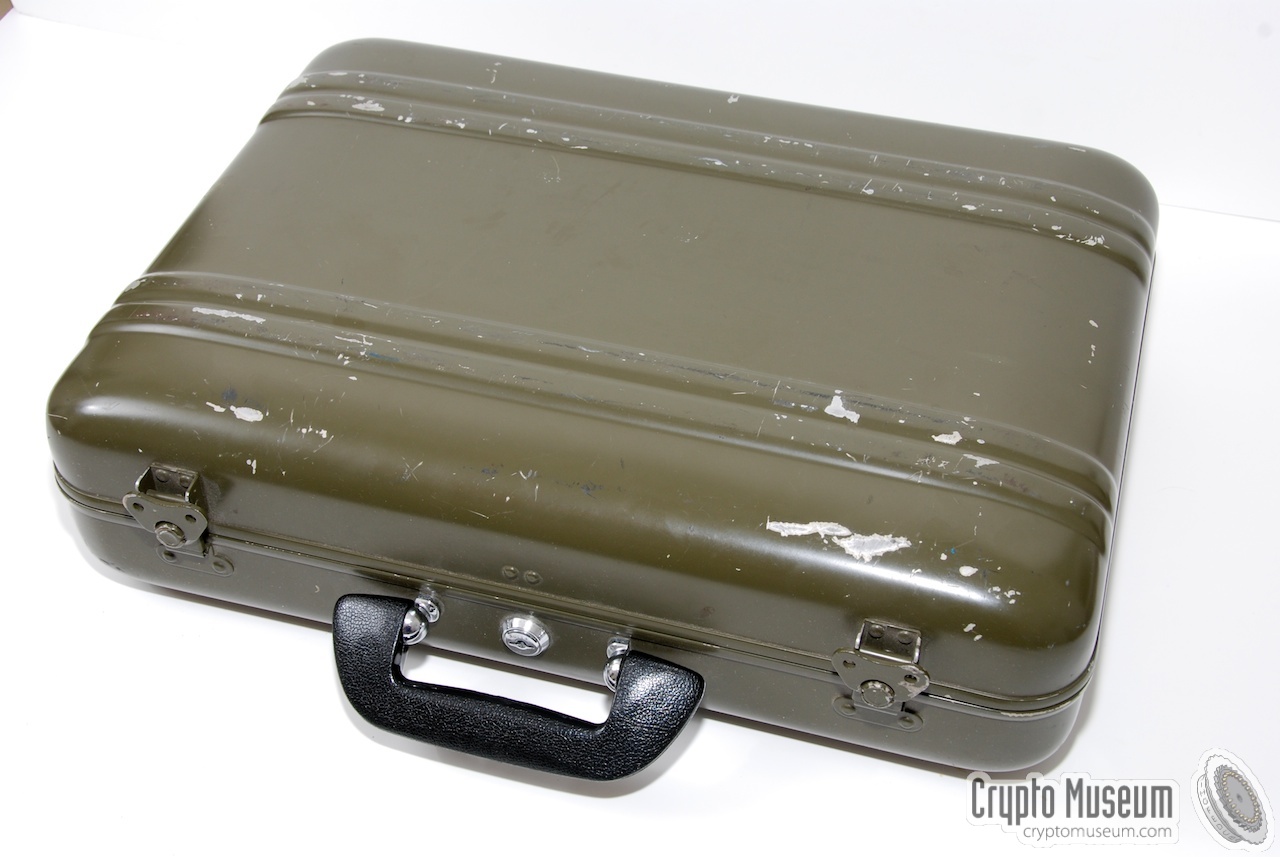
For civil use, the HC-530 was usually housed in a Samsonite attaché case.
For military use, a sturdy green briefcase, such as the one shown below
was often used instead.
|
The HC-530 is part of the Hagelin CRYPTOMATIC family of machines and is
compatible with the following family members:
|
- HC-520 (Pocket version, resembling a calculator)
- HC-530 (Suitcase version)
- HC-550 (Desktop model, based on Siemens T-1000)
- HC-570 (Desktop model)
- HC-580 (Desktop model, based on Siemens T-1000)
- HC-590
|
Operation of the HC-530 is very simple and straight forward, but requires
some basic knowledge of the user interface of the machine.
For the advanced user, the machine is usually supplied with
a Quick Reference Card;
a small plastic card with a number of keyboard shortcuts.
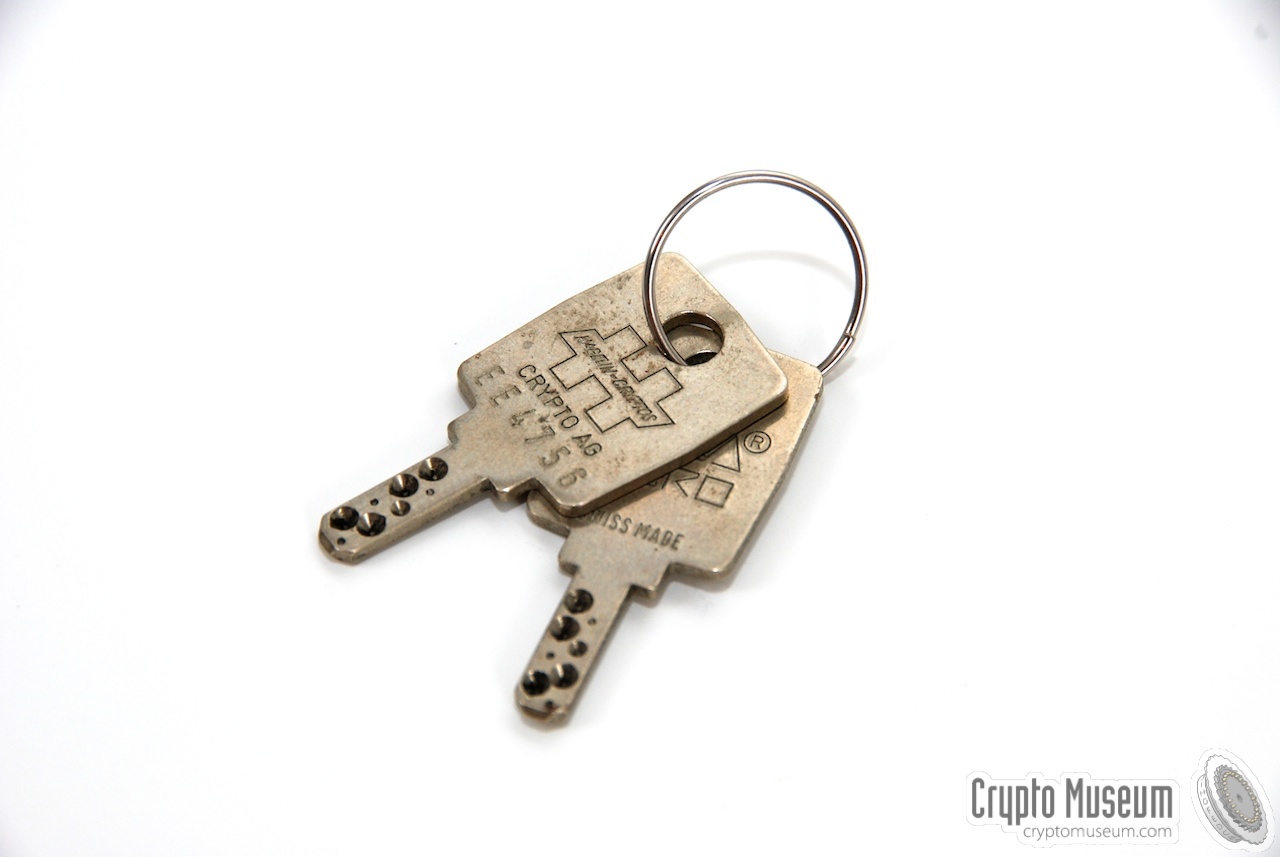
In order to activate the machine, a special (secure) physical key is
required (image #1 below).
|
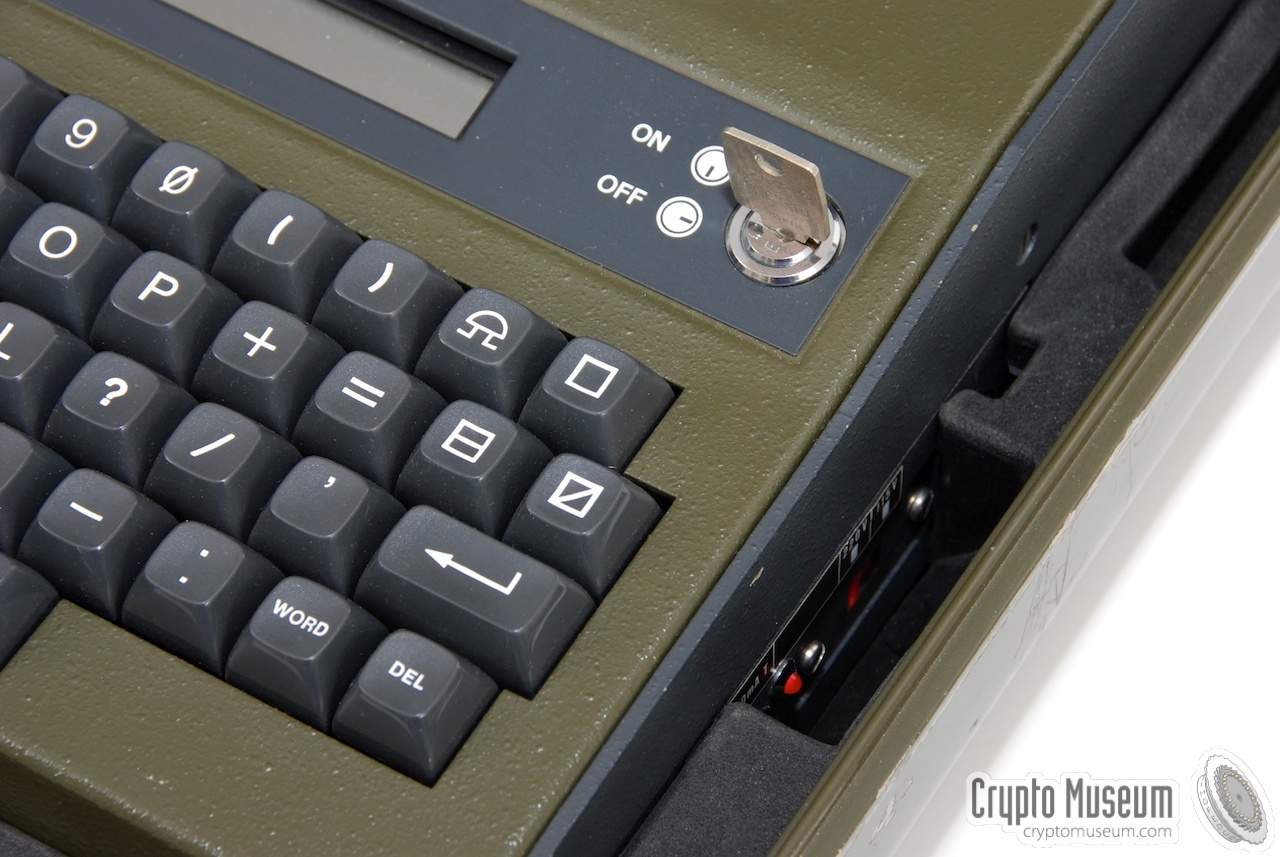
The HC-530 can be operated from the mains or from the built-in
battery. The battery is charged automatically when the machine is
connected to the mains, even when the machine is OFF (see the red LED in
image #2 below).
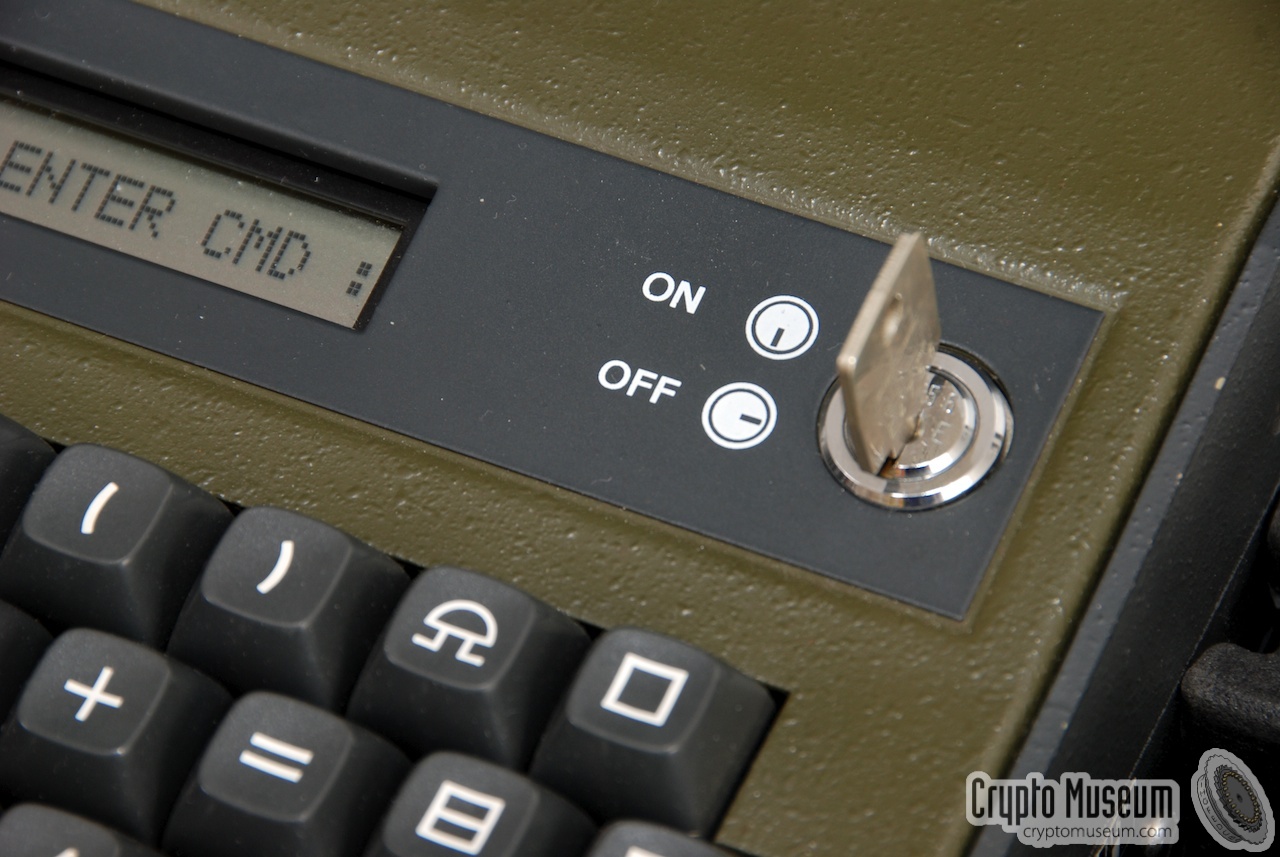
The machine can be turned ON by inserting the key into the lock to the
right of the display and turning it 1/4 clockwise.
After a short delay of approx. 1 second, the machine comes to life.
If it has been off for a long time, the battery might be
exhausted and the machine will require the Variable Parameters (VP)
to be renewed.
|
|
|
The VP determines the intitial settings of the machine, such as the
default input device, the output device, data speed, output formatting, etc.
Entering the VP is rather simple and requires a series of numbers to
be entered from the keyboard. All possible combinations are listed
on the Quick Reference Card.
The VP can be changed at any time by entering a special command.
The HC-530 has two modes of operation: Command Mode and
Editor Mode. Once the VP has been setup correctly,
the machine enters Command Mode.
Ctrl-R is normally used to cancel Editor Mode and return
to Command Mode. In Command Mode, all commands are combined with
the Ctrl-key (control). In most cases, the command is
activated by pressing the Enter-key (Return).
Sometimes the command should be confirmed by pressing the Y-key (yes).
|
|
|
|
|
|
|
When ciphering or deciphering an message, the resulting plaintext or
ciphertext can be sent to different output devices, depending on the
appropriate VP-setting or Ctrl-command. The following output devices
are available:
|
- Display
Encrypted or decrypted text is sent to the display. The user can
read it and (optionally) write it down. The display can show only
one line of text.
- Printer
Encrypted or decrypted text is printed on paper using the built-in
thermal printer. Encrypted text can then be passed on for transmission
via another means. Decrypted text can be handed to the addressee.
- Coupler
Encrypted data is sent to the acoustic phone coupler and the internal
modem is used to convert data into a series of tones (not available
in decipher mode).
- Serial interface
Encrypted or decrypted text can (optionally) be sent to the built-in
serial interface that is hidden behind a rubber cover on the acoustic
coupler. It allows an external terminal, teletype or computer to be
connected. Data speed and word format can be programmed in the VP.
|
|
|
|
The table below lists the various commands of the HC-530 in
Command Mode. Single keys are printed bold and
the return key is shown as CR (carriage return).
A command sequence may have to be followed by and additional
Y (yes) for confirmation (indicated in the red column).
|
|
Sequence
|
Y
|
Description
|
|
Ctrl I CR
|
|
Input Mode (text input from keyboard or serial interface)
|
|
Ctrl P CR
|
|
Printout (memory text unchanged)
|
|
Ctrl S CR
|
Y
|
Serial interface output (memory text unchanged)
|
|
Ctrl C CR
|
|
Cipher mode (output device according to VP value)
|
|
Ctrl CD CR
|
|
Cipher output device -> Display
|
|
Ctrl CP CR
|
|
Cipher output device -> Printer
|
|
Ctrl CT CR
|
|
Cipher output device -> Coupler (Telephone)
|
|
Ctrl CS CR
|
|
Cipher output device -> Serial interface
|
|
Ctrl D CR
|
|
Decipher mode (output device according to VP value)
|
|
Ctrl DD CR
|
|
Decipher output device -> Display
|
|
Ctrl DP CR
|
|
Decipher output device -> Printer
|
|
Ctrl DS CR
|
Y
|
Decipher output device -> Serial interface
|
|
Ctrl DC CR
|
|
Decipher Mode continuation
|
|
Ctrl A
|
|
Advance
|
|
Ctrl B CR
|
|
BASIC Key Mode (selection of the basic key)
|
|
Ctrl V CR
|
Y
|
VP Mode (entering the Variable Parameters)
|
|
Ctrl R
|
|
Return to Monitor (exit to Command Mode)
|
|
Ctrl X
|
Y
|
Reset (clear memory)
|
|
Ctrl E CR
|
|
Editor Mode (optional)
|
|
Ctrl T
|
Y
|
Test (optional) / space bar / P / U / Y /
|
|
Ctrl M CR
|
|
Mark polarity (coupler sends 1850 Hz tone)
|
|
Ctrl N CR
|
|
Station identification (for selective call)
|
|
DEL
|
|
Last character delete (equivalent to Ctrl-K)
|
|
WORD
|
|
Last word delete (equivalent to Ctrl-W)
|
|
|
#
|
VP value
|
0
|
1
|
2
|
3
|
4
|
5
|
6
|
7
|
8
|
9
|
|
1
|
Coupler output
|
*
|
N
|
FEC
|
|
|
|
|
|
|
|
|
2
|
Default output device
|
*
|
D
|
P
|
S
|
|
|
|
|
|
|
|
3
|
Serial input speed
|
*
|
Ext
|
50
|
75
|
110
|
150
|
200
|
300
|
600
|
1200
|
|
4
|
Serial output speed
|
*
|
Ext
|
50
|
75
|
110
|
150
|
200
|
300
|
600
|
1200
|
|
5
|
Serial I/O polarity
|
*
|
I/O
|
I/O
|
I/O
|
I/O
|
|
|
|
|
|
|
6
|
Serial format
|
*
|
BD
|
A2
|
A3
|
A4
|
A5
|
A6
|
A7
|
A8
|
A9
|
|
7
|
MK auto-generated
|
*
|
Y
|
N
|
|
|
|
|
|
|
|
|
8
|
BK included in cleartext
|
*
|
Y
|
N
|
|
|
|
|
|
|
|
|
9
|
Ciphertext formatting
|
*
|
5
|
10
|
60
|
|
|
|
|
|
|
|
10
|
Auto-processing
|
*
|
MEM Ctrl_S
|
MEM Ctrl_DS
|
MEM Ctrl_DP
|
Ctrl_S
|
Ctrl_DS
|
Ctrl_DP
|
INT Ctrl_S
|
INT Ctrl_DS
|
INT Ctrl_DP
|
|
11
|
Selective call (coupler)
|
*
|
N
|
Y
|
ID
|
|
|
|
|
|
|
|
*) Don't care (i.e. no change), can be used when changing already entered VP values.
|
|
- N-Normal, FEC-Forward Error Correction
- Display/Printer/Serial
- Baud rate (bps)
- Baud rate (bps)
- Normal / Inverse
- BD-Baudot, A-ASCII (see below)
- Master Key (MK) to be generated automatically (Yes/No)
- Output Basic Key (BK) Bigram with clear text (Yes/No)
- Ciphertext formatted in 5, 10 or 60 letter groups
- MEM-Received message transferred into text memory (if empty)
INT-Local process interrupted
- N-No, Y-Yes, ID-Caller terminal identification added to message
|
Although the Hagelin CRYPTOMATIC cipher machines are not compatible with
the cipher machines of other manufacturers, the HC-530 shows great resemblance
to other briefcase-style electronic cipher machines of the same era.
Examples of such machines are the
Philips Miniflex,
the Philips Picoflex,
and the Gretacoder 805.
|
- Crypto AG, HC-530/HC-535 user manual
- Crypto AG, HC530/535 Quick Reference Card
|
|
|
|
Any links shown in red are currently unavailable.
If you like this website, why not make a donation?
© Copyright 2009-2013, Paul Reuvers & Marc Simons. Last changed: Sunday, 21 August 2011 - 07:08 CET
|
 |

|
|